Notey
Minimal note capture for structured, linked Obsidian vaults
What Notey does
Built for the way you think
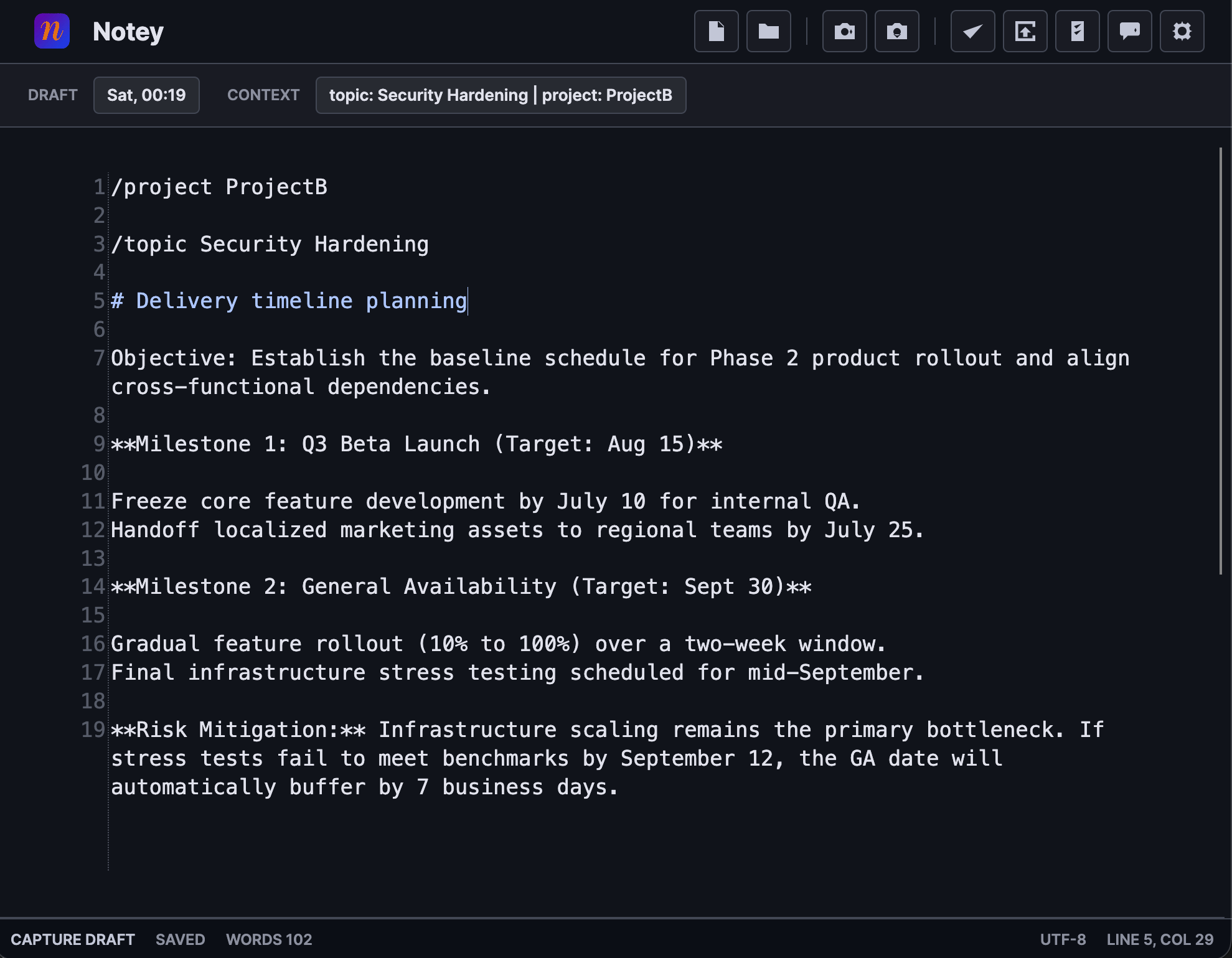
Capture a thought, route it to the right place, and let AI shape it into a structured Obsidian note — without interrupting your flow.
Open from the system tray or a global hotkey. Notey is out of the way until you need it — then it's there instantly.
Use /topic, /meeting, /task, and dynamic folder commands to route notes to exactly the right place without touching the file system.
OCR and AI process your drafts into well-structured Obsidian markdown — canonical people references, tags, and headings included.
Every note lands in your existing vault with proper [[wikilinks]], inline tags, and same-day headings for topic pages.
Capture screenshots directly into the editor. Images are stored in your vault; OCR extracts text automatically for AI processing.
Paste tables from Word, Excel, or Google Docs and get clean GitHub-flavored markdown pipe tables automatically.
Tasks from any note are routed to Notes/tasks.md with proper markdown checkbox formatting, ready for Obsidian task views.
A focused, minimal markdown editor with syntax highlighting, table navigation, and a fixed-width font for aligned writing.
In action
A minimal tool with a lot going on
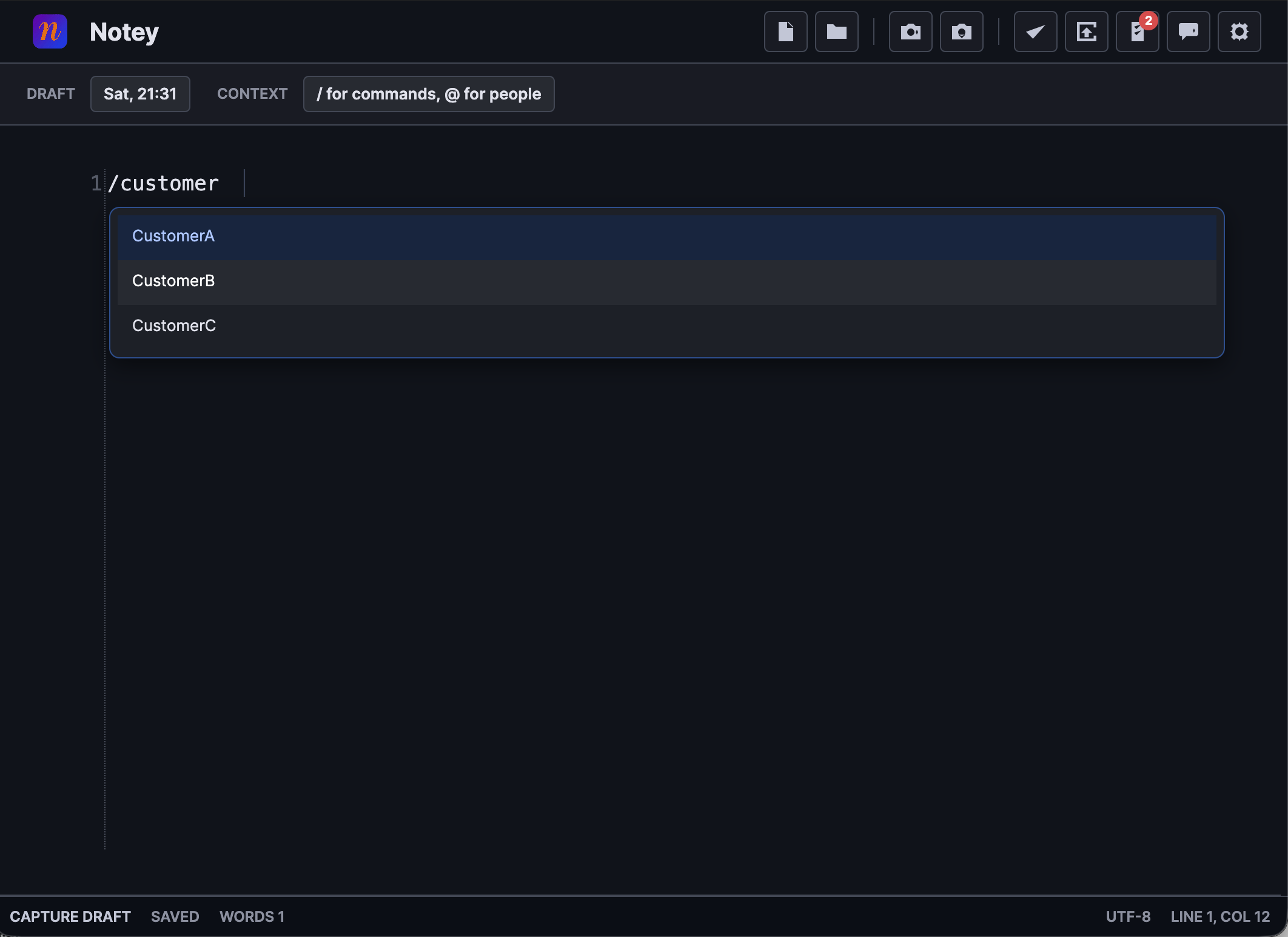
Route every note with a slash
Type /customer, /topic, /meeting, or any dynamic folder name and Notey autocompletes from your vault. Your note lands in exactly the right place — no file browsing required.
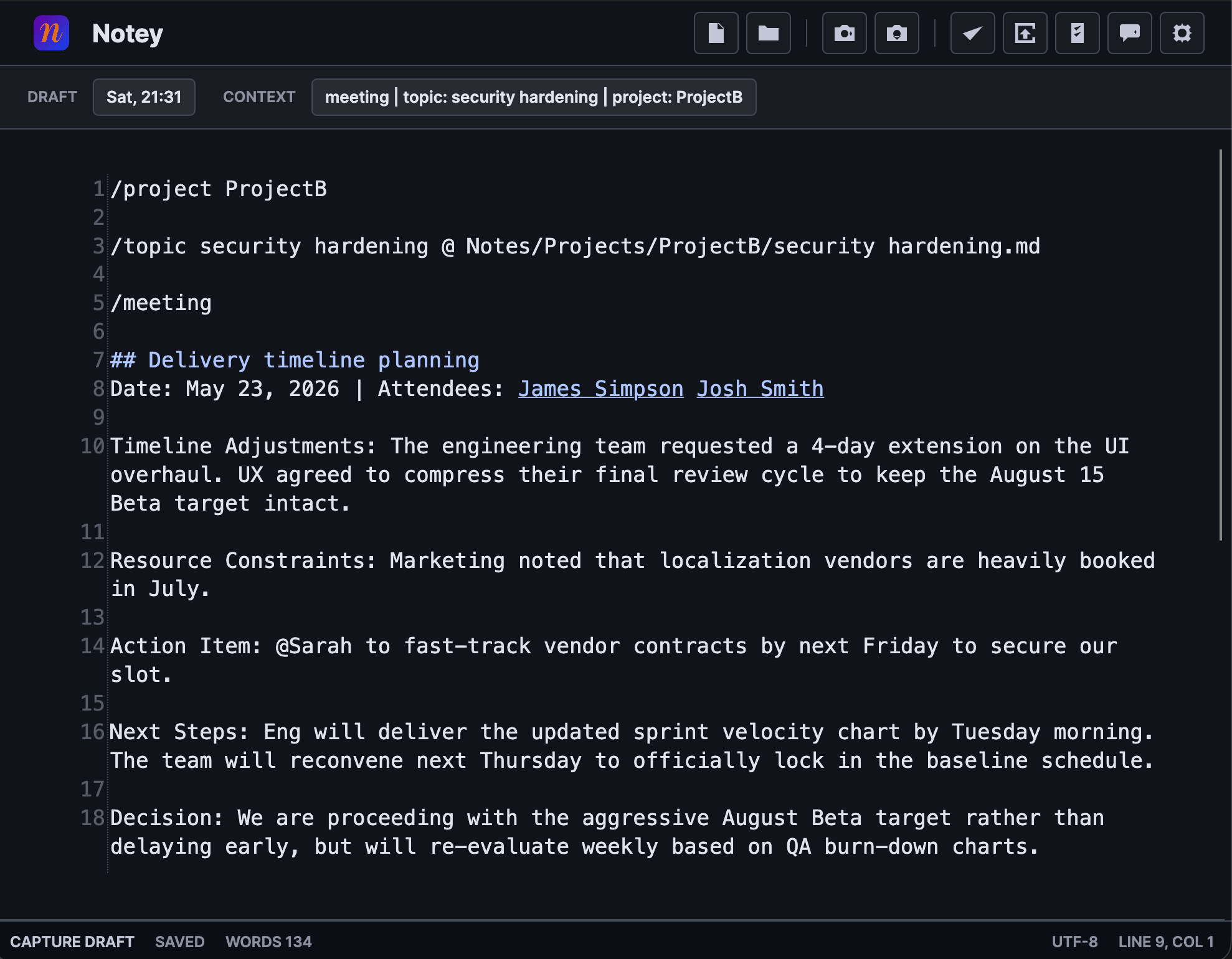
Capture meetings as structured notes
Add /meeting and Notey routes the note as a meeting record — with date, attendees as vault wikilinks, action items, and decisions all structured by AI before saving to your vault.
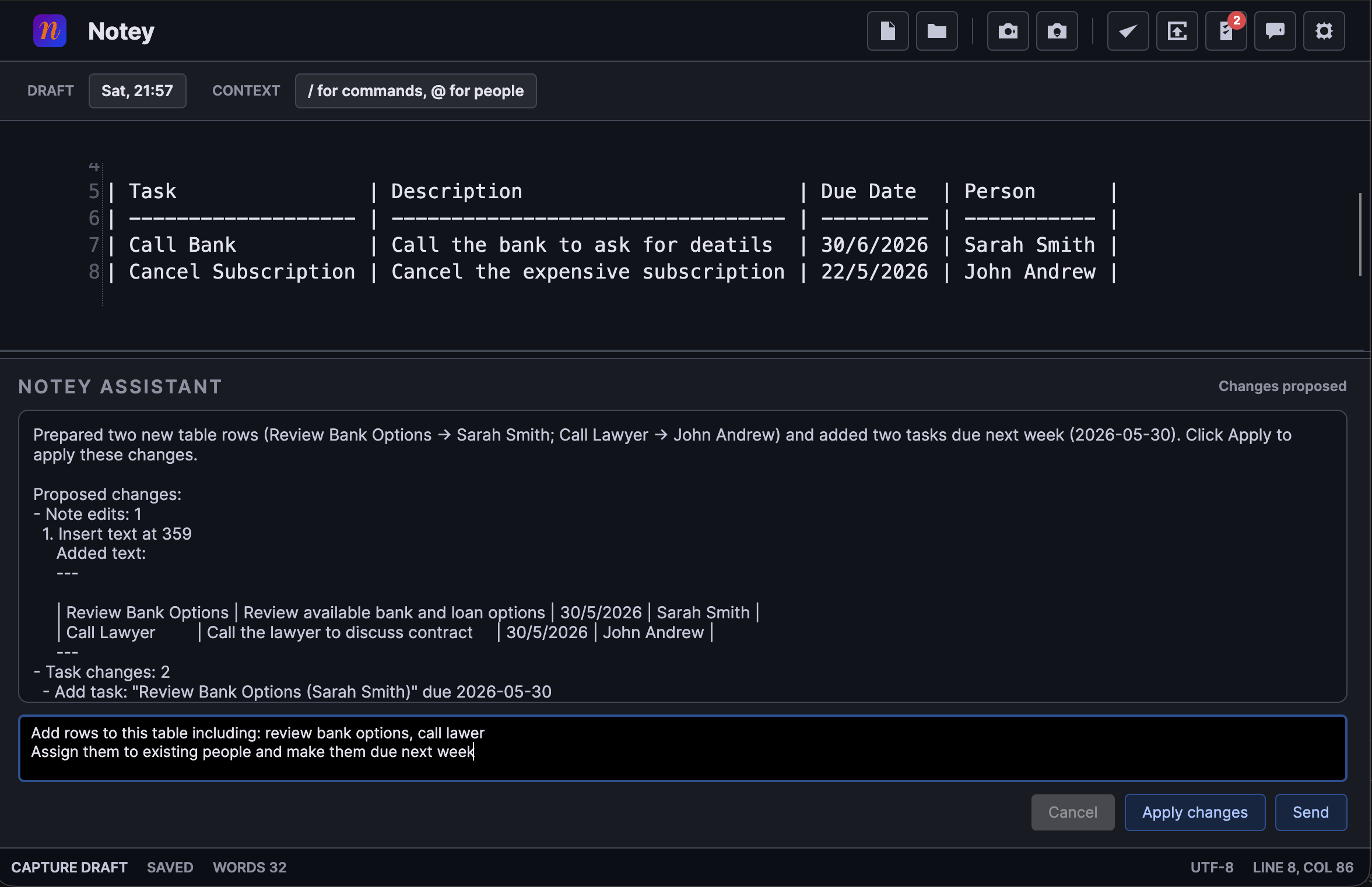
AI that proposes, you decide
Ask the Notey assistant to extend a table, rephrase a section, or assign tasks to people. It shows a structured diff of every proposed change — you review and apply with one click, or discard entirely.
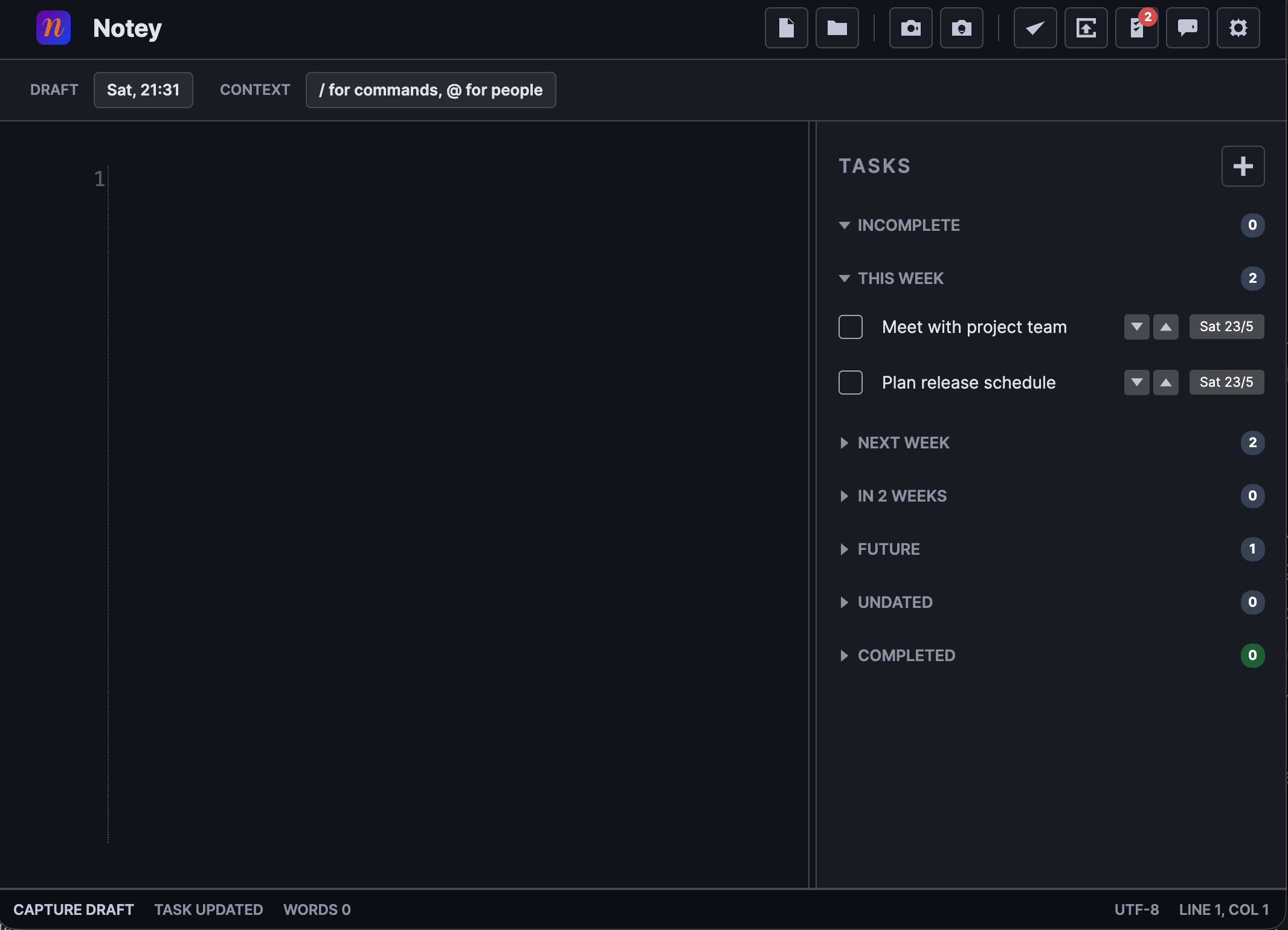
Tasks in one place, across every note
A live task panel aggregates every - [ ] task from your vault, grouped by due date. Tasks written in any note automatically appear here — no separate task app needed.
More features
Every detail considered
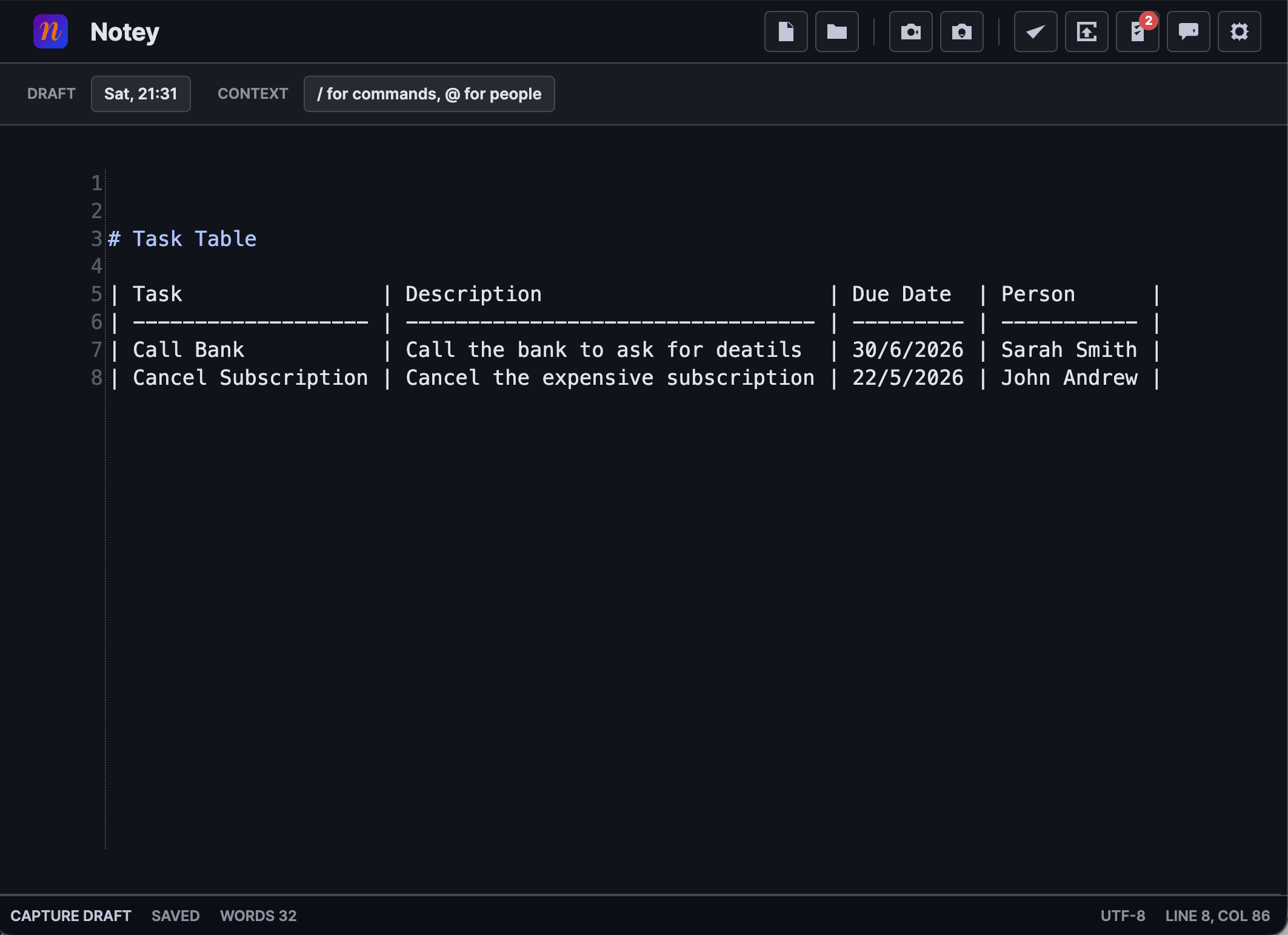
Smart markdown tables with aligned pipes and Tab navigation between cells.
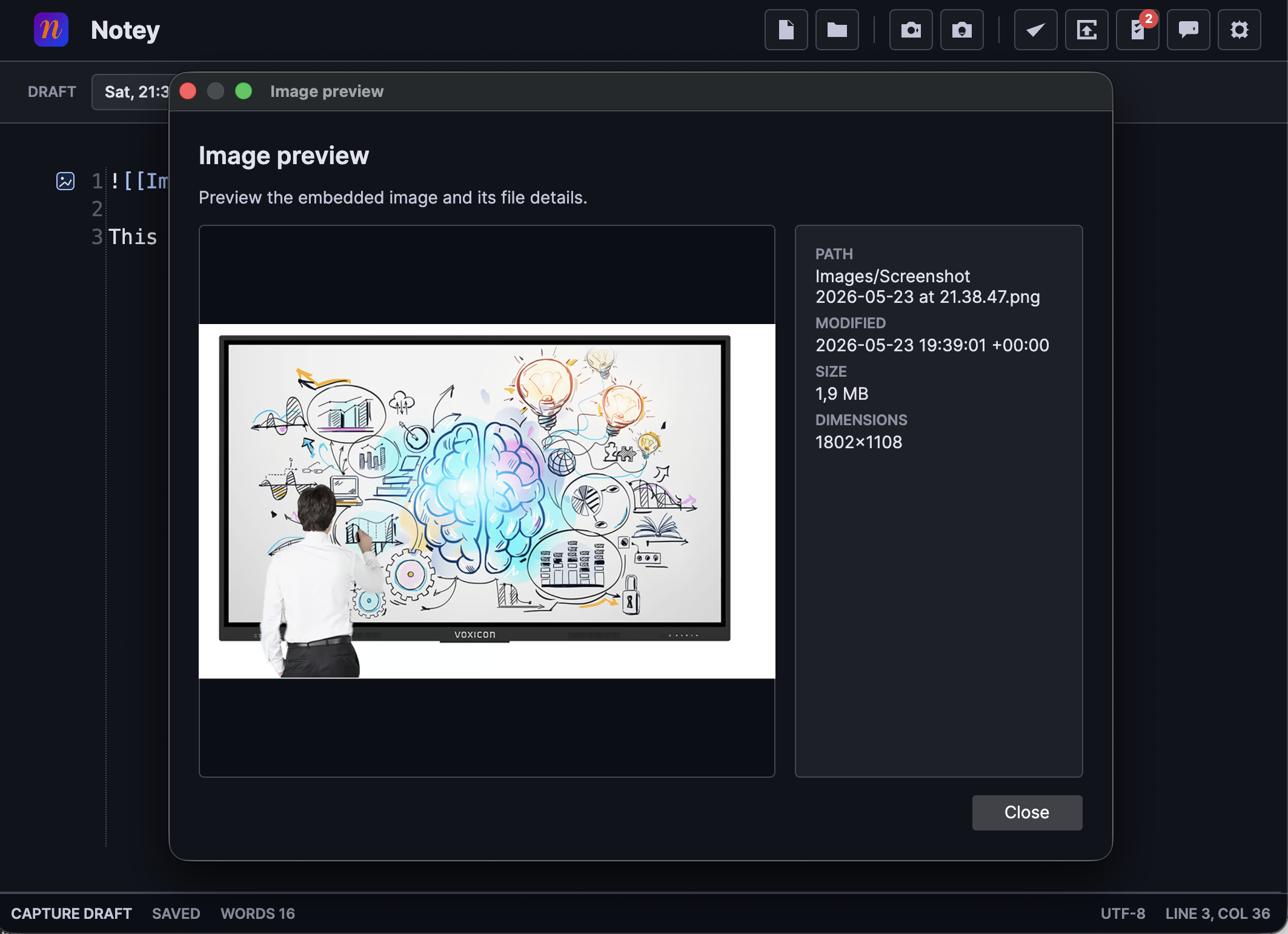
Preview any embedded image inline with file metadata.
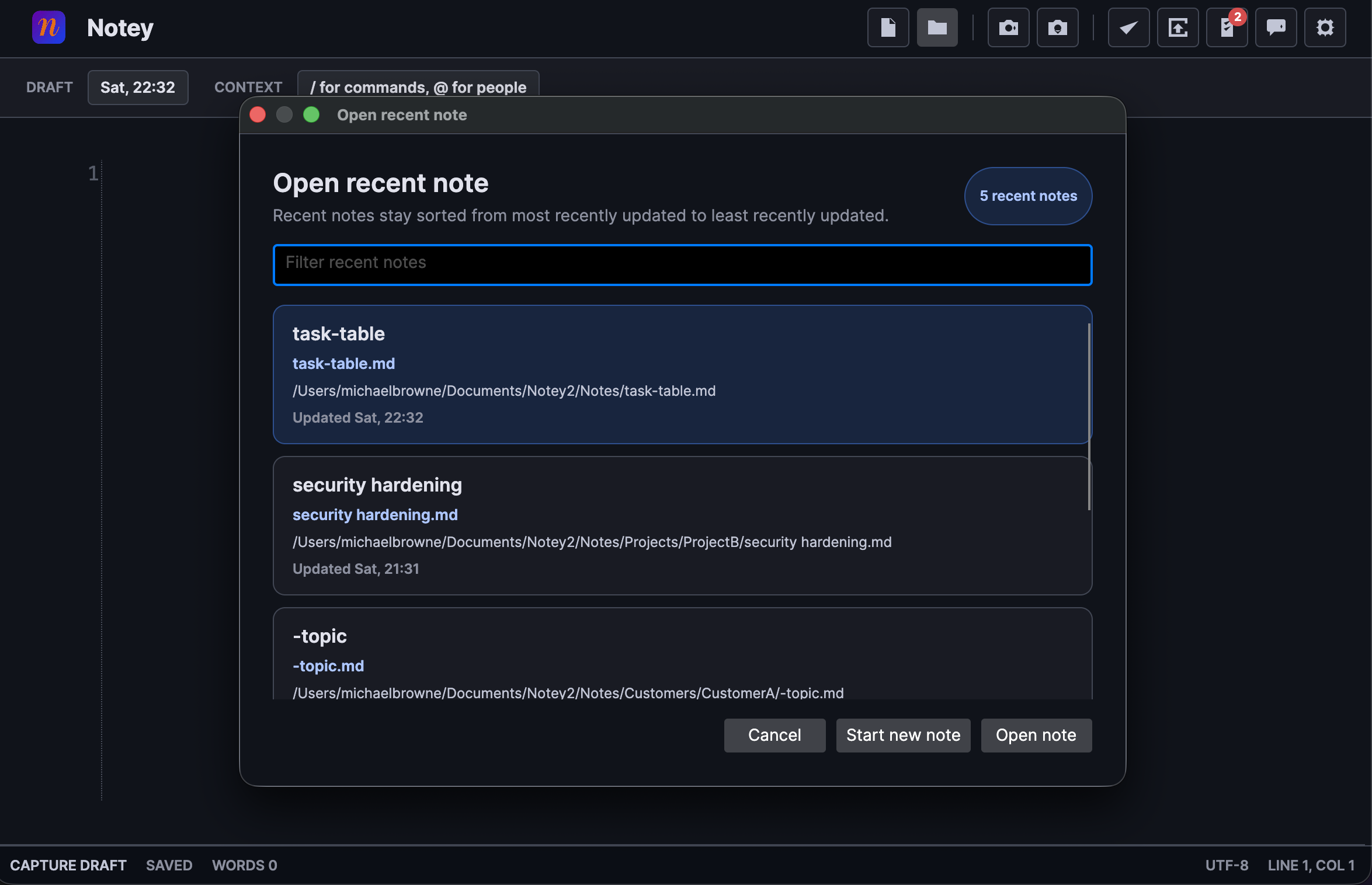
Jump back to any recent vault note with a searchable quick-open dialog.
Documentation
Everything you need to get going
From installation to advanced AI configuration, the docs cover every part of Notey.
Start capturing better notes today
Download Notey and connect it to your Obsidian vault in minutes.